Delete Your TaskExpress Account
Go To Home Page
TaskExpress provides a simple and secure way for both Users and Service Providers to permanently delete their accounts directly from the mobile application.
User Application (Blue Theme)
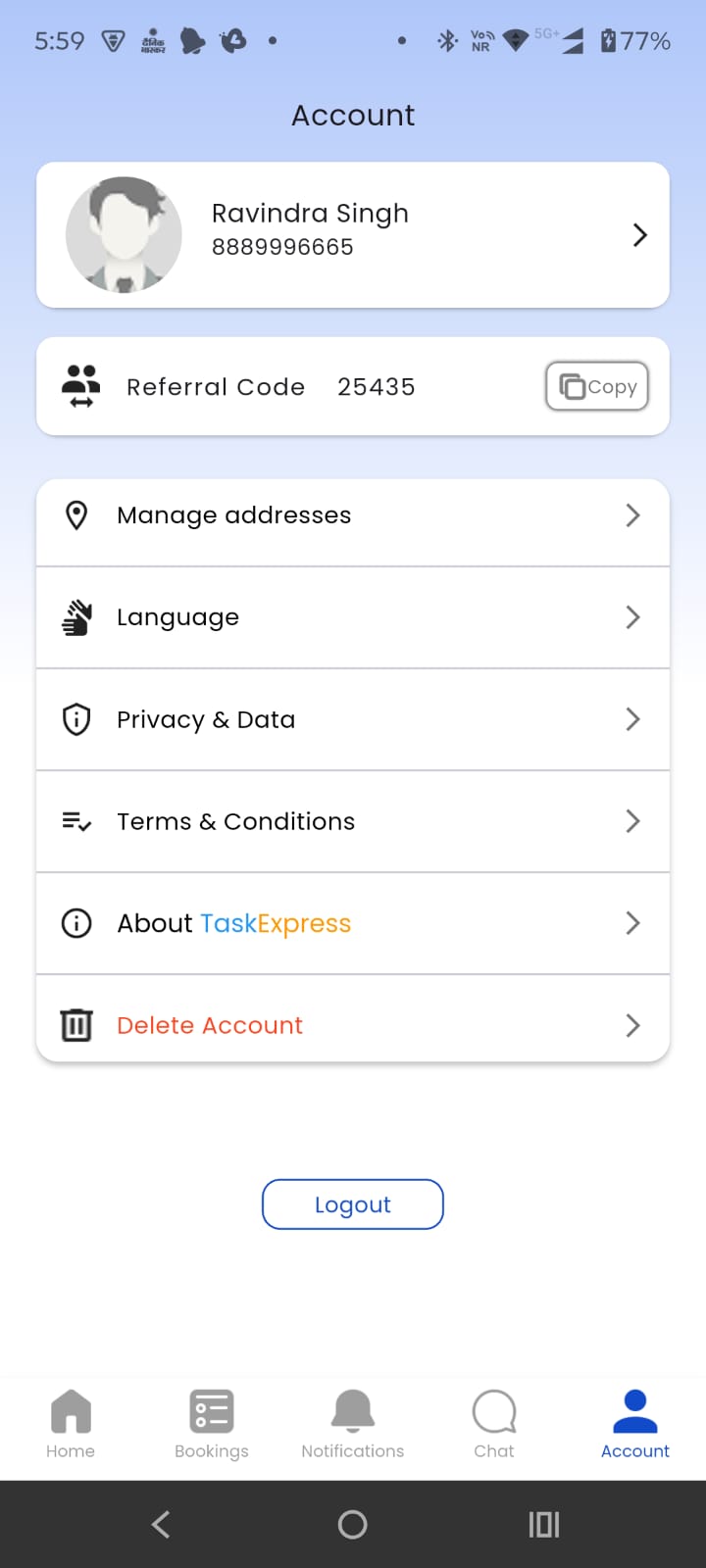
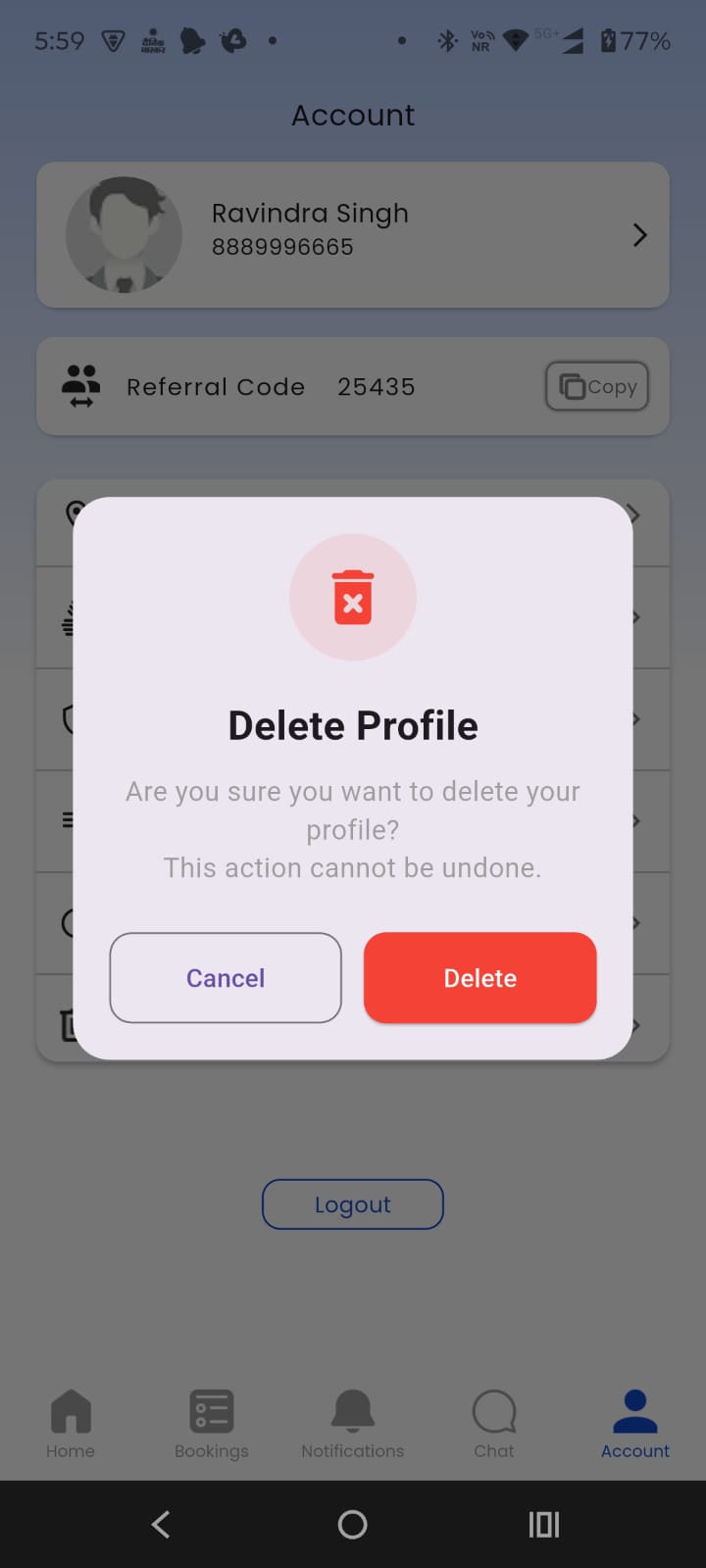
Steps to Delete User Account
- Open the TaskExpress User App.
- Login to your account.
- Go to the Account section.
- Scroll down and select Delete Account.
- A confirmation popup will appear.
- Tap Delete to permanently remove your account.
Important:
Account deletion is permanent and cannot be undone.
Service Provider Application (Orange Theme)
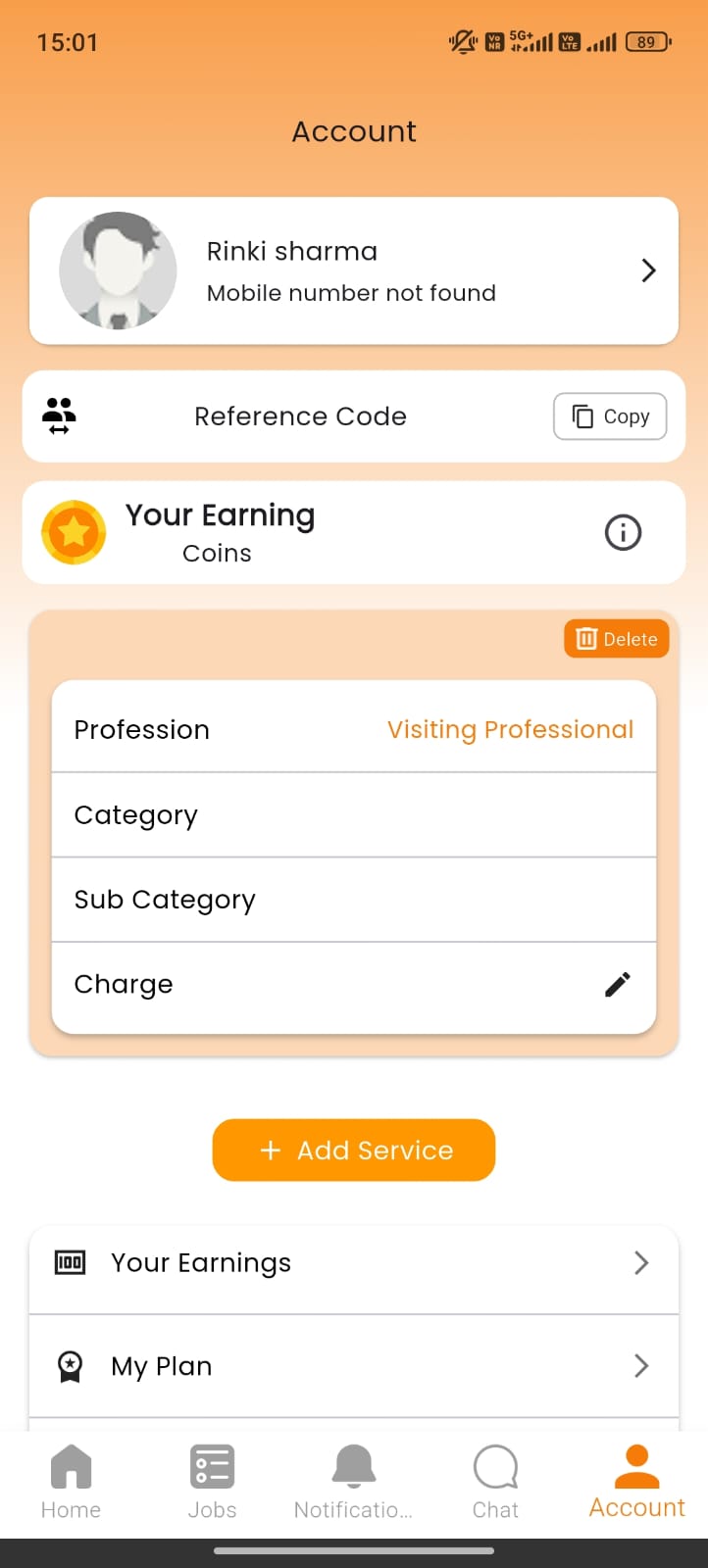
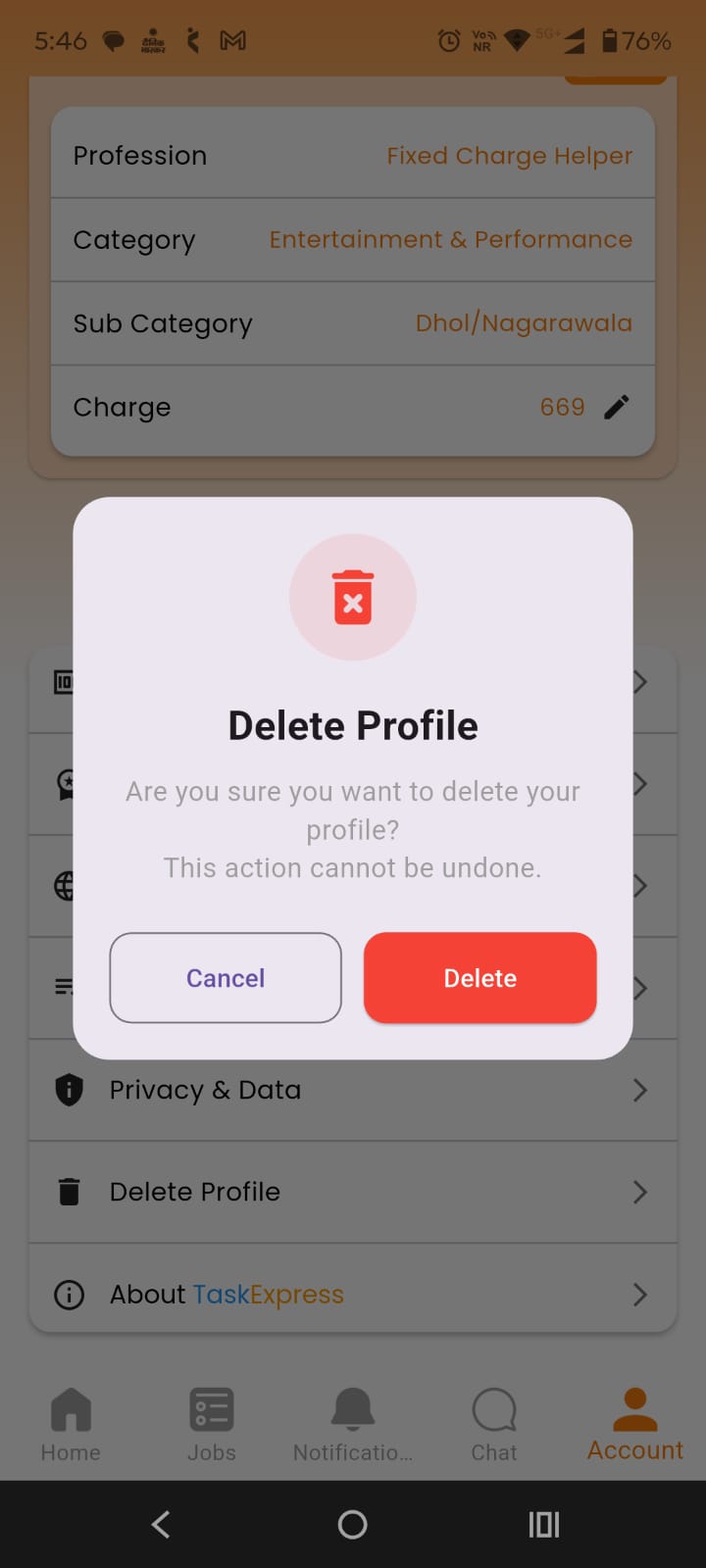
Steps to Delete Service Provider Account
- Open the TaskExpress Service Provider App.
- Login to your account.
- Navigate to the Account section.
- Select Delete Profile.
- A confirmation popup will appear.
- Tap Delete to permanently remove your profile.
Important:
Account deletion is permanent and cannot be undone.